

Installation Guide

Mounting a 75-Inch TV on Steel Studs: What You Need to Know

January 13, 2026
5 min read
Handy Andy Team

Living in a modern apartment? There's a good chance your walls have steel studs instead of traditional wood framing. Here's everything you need to know to safely mount your 75-inch TV on metal studs.

close up on modern apartment buildings

1 Why Do Apartments Have Steel Studs?

If you live in an apartment building over 5 stories, there's a very high likelihood your walls are framed with metal (steel) studs rather than traditional wood studs. This is standard practice in modern high-rise construction for several important reasons:

  • Fire Resistance: Steel studs are non-combustible and meet strict fire safety codes
  • Lightweight: They reduce the overall weight of the building structure
  • Durability: Steel doesn't warp, rot, or attract pests like wood can
  • Consistency: Manufactured to precise specifications for uniform quality

While steel studs are excellent for construction, they require a different mounting approach than traditional wood studs. The good news? With the right hardware and technique, mounting a large TV on steel studs is completely safe and reliable. For more general apartment TV mounting tips, check out our complete guide to mounting a TV in an apartment.

2 The Steel Stud Challenge

Unlike wood studs where you can simply drive screws directly into the solid wood, steel studs are hollow and relatively thin (typically 18-25 gauge). This creates unique challenges:

Won't Work

Standard wood screws will strip out and fail to hold weight securely in hollow metal studs

Will Work

Specialized toggle bolts that expand behind the metal to distribute weight safely
3 The Solution: Strap Toggles (Snap Toggles)

The secret to successfully mounting a TV on steel studs is using strap toggles (also called snap toggles or toggle bolts). Here's how they work:

How Strap Toggles Work

1

Drill Through the Metal Stud

Use a metal drill bit to create a hole through the steel stud at the mounting location

2

Insert the Toggle Strap

Push the metal strap through the hole until it pops open behind the wall

3

Lock It in Place

The toggle expands behind the stud, distributing weight over a larger area

4

Attach Your Bracket

Snap off the excess strap and screw your TV bracket securely into place

TV bracket LED display. Swivel bracket for TV.

What You'll Need

  • Metal drill bits (1/4" or appropriate size for your toggles)
  • Strap toggles rated for your TV's weight (look for 50+ lb rating per toggle)
  • TV mounting bracket (tilting or flat style recommended)
  • Stud finder (magnetic type works best for metal studs)
  • Level to ensure your TV hangs straight
  • Power drill with good battery or power supply

4 Choosing the Right Bracket for Steel Studs

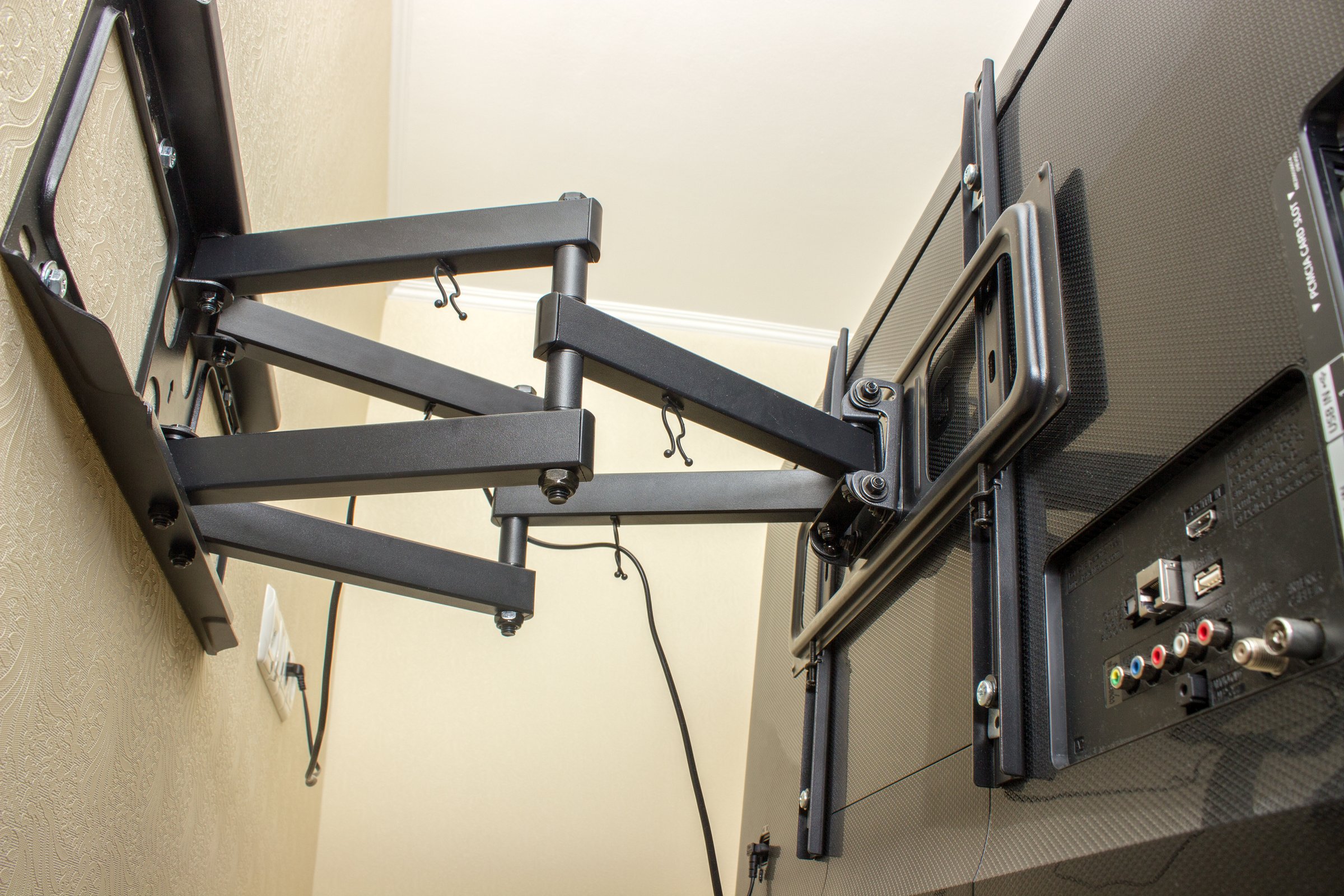
While you can mount full motion brackets on steel studs, we strongly recommend choosing either a tilting or flat (fixed) bracket. Here's why:

Full Motion

Not Recommended
  • Complex installation with more mounting points
  • Puts leverage stress on toggles when extended
  • Higher risk of wall damage over time
  • Maximum adjustability (if you must have it)

Tilting

Recommended
  • Easy installation with fewer mounting points
  • Minimal stress on steel studs
  • Allows for glare reduction by tilting down
  • Best balance of features and reliability

Flat / Fixed

Recommended
  • Easiest and fastest installation
  • Most secure for steel studs
  • Sleek, low-profile appearance
  • No angle adjustment

Pro Tip

For a 75-inch TV on steel studs, we recommend a tilting bracket. It gives you the flexibility to reduce glare while maintaining excellent stability. Tilting brackets are much easier to install correctly on metal studs compared to full motion mounts, and they put far less stress on your mounting points.

5 Essential Installation Tips

1 Always Find the Studs

Use a magnetic stud finder to locate the steel studs. Unlike wood studs, metal studs will attract a magnet. Mark the center of each stud with painter's tape. Steel studs are typically spaced 16 or 24 inches apart.

2 Use the Right Drill Bit

Standard wood drill bits won't cut through steel efficiently and can damage your drill. Invest in proper metal drill bits - titanium or cobalt bits work best. Start with a pilot hole, then drill to the size required for your toggle bolts.

3 Don't Skimp on Toggles

For a 75-inch TV (typically 60-80 lbs without the mount), use at least 4 strap toggles rated for 50+ lbs each. This gives you a safety margin of 4x your TV's weight. Quality toggle bolts like SnapToggle or TOGGLER brands are worth the investment.

4 Level Is Critical

A crooked TV is immediately noticeable, especially with a 75-inch screen. Use a 4-foot level when marking your holes. Double-check before drilling. Once toggle bolts are installed, they can't be repositioned without leaving holes.

5 Test Before Hanging

After installing the bracket, test it by pulling down firmly with your full body weight before hanging your expensive TV. The bracket should feel rock-solid with no movement or creaking. If anything feels loose, add more toggles or reposition.

Important Safety Warning

Never use standard drywall anchors or wood screws alone on steel studs. They will fail under the weight of a large TV, potentially causing property damage or injury.

If you're not confident in your ability to properly mount a TV on steel studs, it's worth hiring a professional. The cost of professional installation is far less than replacing a damaged TV or repairing your wall. Looking for more apartment-specific mounting advice? Read our complete apartment TV mounting guide.

Frequently Asked Questions

Need Professional TV Mounting?

Don't risk damaging your TV or walls. Let Handy Andy's experienced technicians safely mount your TV on any wall type, including steel studs.

Insured & Certified

Professional installation with warranty protection

Same-Day Service

Quick scheduling with minimal wait time

Expert Technicians

Specialists in all wall types including metal studs

Browse all our TV mounting tips and guides